The Golf Course Challenge
Problems on a golf course often start before they can be seen. Turf that’s not getting enough water runs warmer than the turf around it, well before it browns and dies. Turf that stays too wet for too long can be even more destructive. It looks perfectly healthy but can be a breeding ground for disease and pests.
The Question
Can thermal imaging from a drone detect these issues before they become visible?
The Deliverable
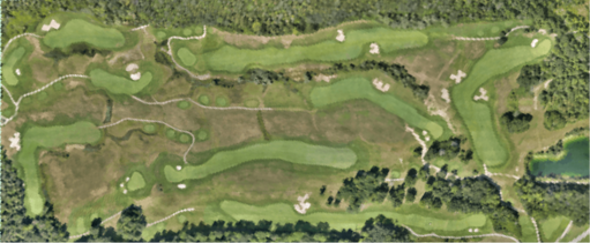
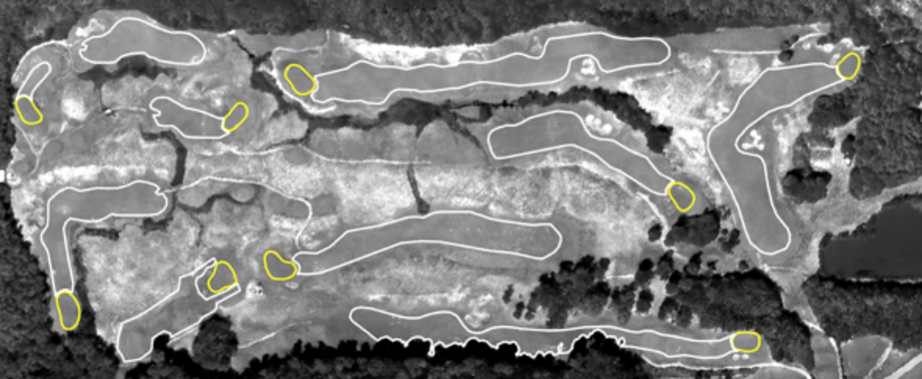
We walk through the process step by step: regular (RGB) and thermal aerial images of a 9-hole course, then outlines on each green and fairway. Each one is measured against its own average, not the course as a whole, so a problem on one hole is not hidden by conditions on another. The full-course view shows superintendents where to focus on every green and fairway. We finish with a closer look at individual greens.
The Flight and Processing
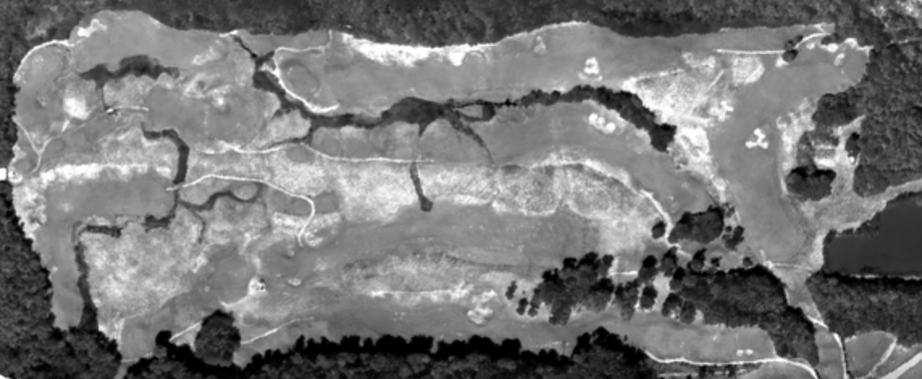
We flew the course on a sunny August day, after an evening of irrigation and about three hours after sunrise. This gave the sun an appropriate amount of time to warm the turf so uneven heating would stand out. The DJI M30T simultaneously captured RGB (regular) and thermal imagery. These images were then processed to provide an aerial overview of the course.
RGB
Thermal
Lighter = Warmer | Darker = Cooler
Thermal imaging reveals uneven heating and cooling the eye can’t see. Warm areas can point to turf drying out and cool areas to turf staying too wet. Knowing where these areas are helps make irrigation more efficient and may give early warning of disease and pest issues. Because we fly year-round in changing weather, exact temperatures matter less than relative ones. This lets us compare areas within a green or fairway, and greens and fairways against each other.
We outline each green and fairway to capture temperature data for all the turf within the outline, removing distortion from bunkers, cart paths and trees.
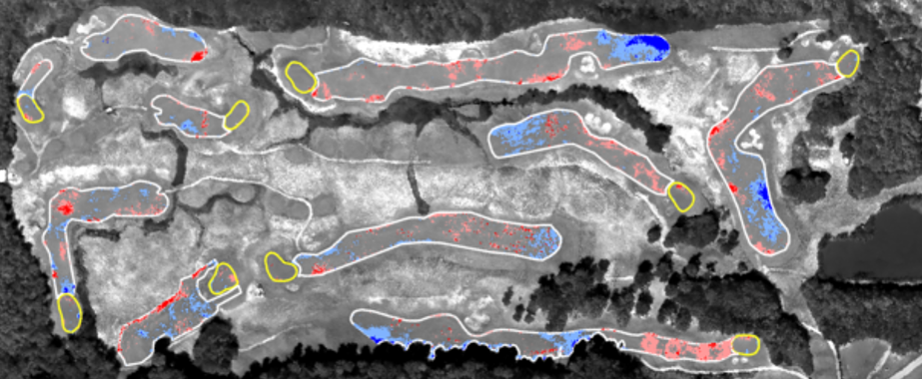
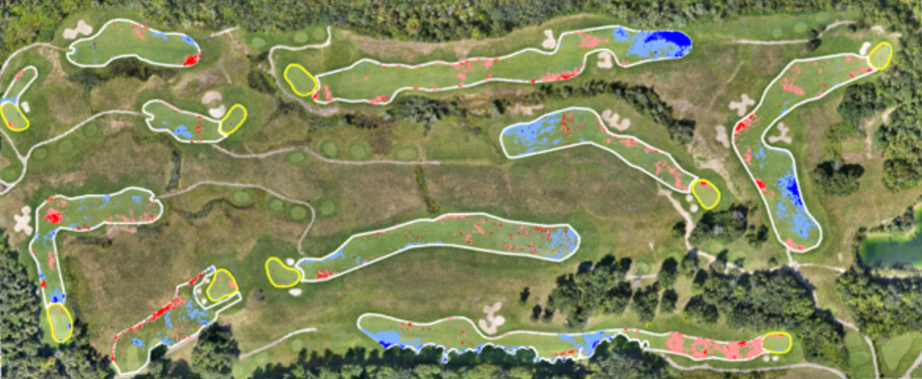
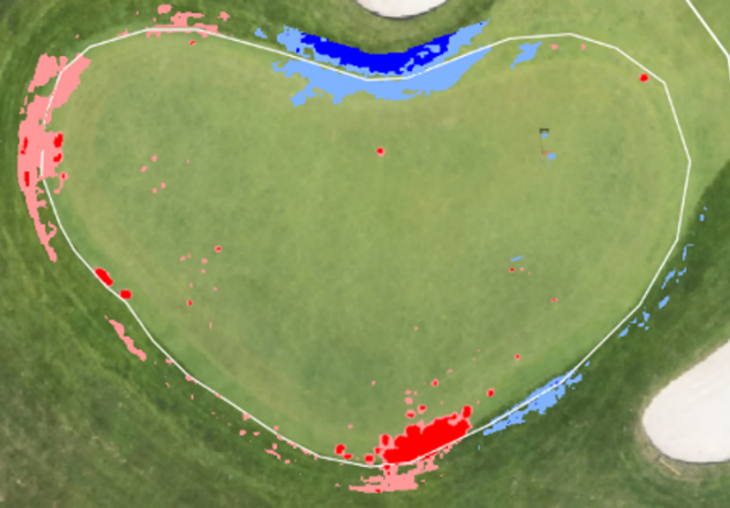
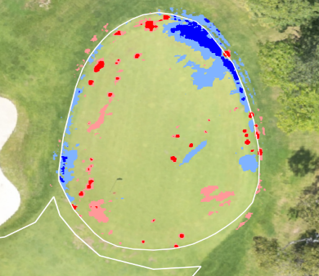
Next, the average temperature and the one and two standard deviation values are calculated for each green and fairway. Colours are assigned to them. Turf near the average stays grey as the baseline. Pale blue and navy mark one and two standard deviations cooler than the average; pink and red mark areas one and two standard deviations warmer.
We then place the coloured greens and fairways on the regular aerial image. Turf near the average now shows its natural colour. Red marks turf drying out, often before any browning appears. Blue is the half the eye can’t see: turf staying cooler, and likely wetter, than its surroundings. On the fairways, the larger blue areas, especially the dark navy, are worth checking for pooling or excess irrigation.
Greens
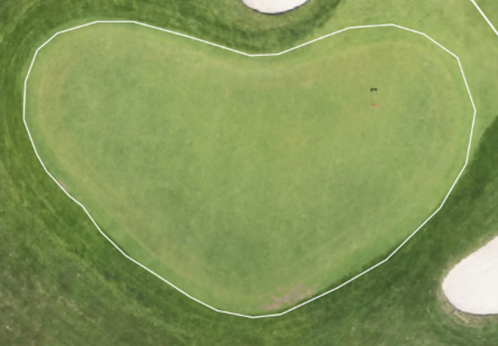
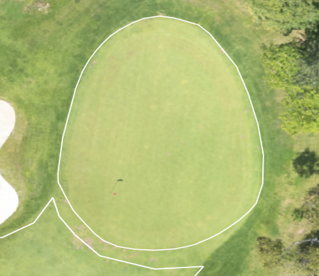
The detail from greens is difficult to see at altitude, so we examine them individually at close range. Two have been selected: the most visibly stressed and the healthiest looking.